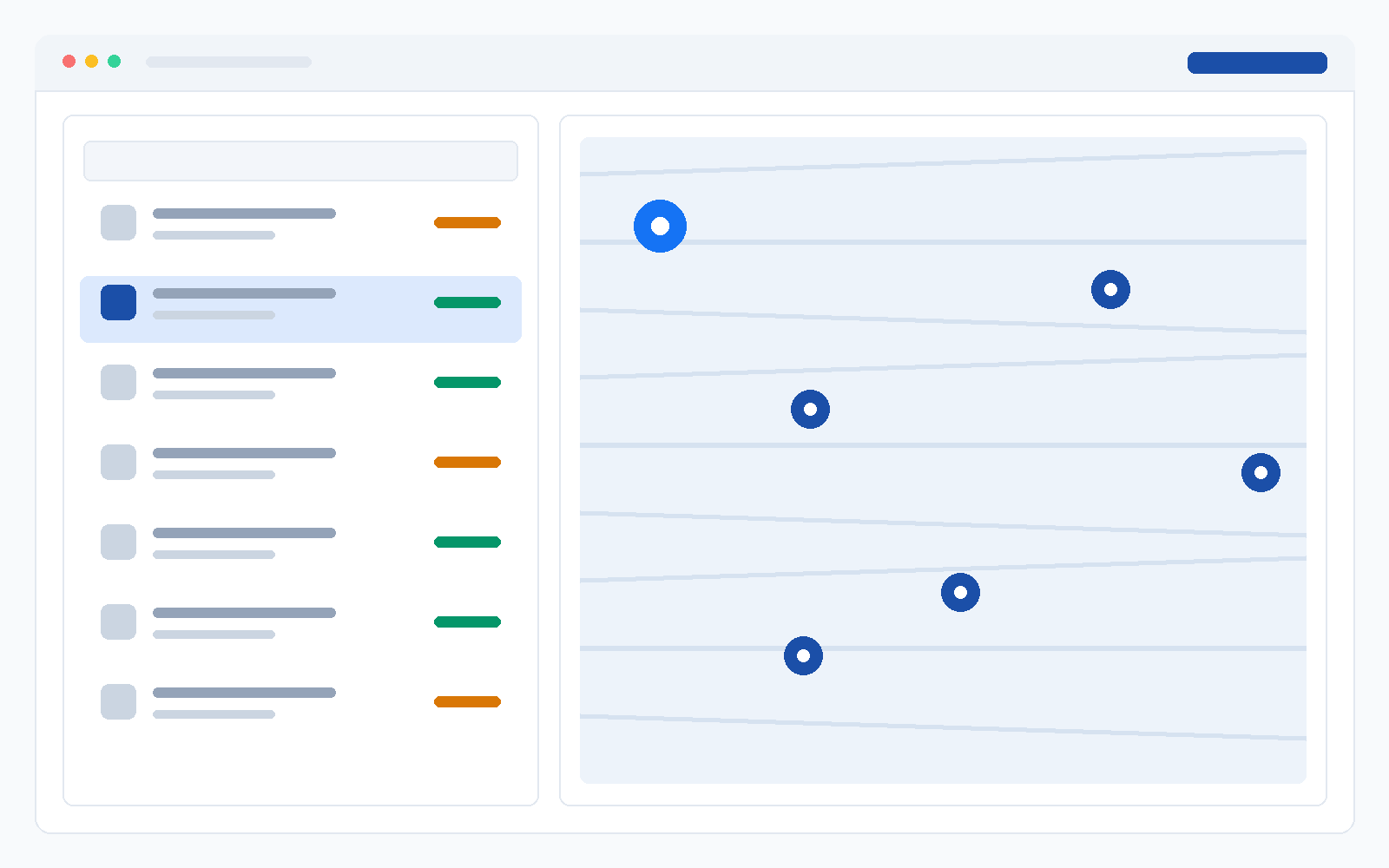
Start with a single lane and add what you need, or run a hundred stores from one office.
Every module in AdvEntRetail reads the same catalogue, obeys the same permissions and feeds
the same reports, so a price changed once is a price changed everywhere.
Module 01 · The lane
POS Cashier
The operational heart of the platform and the only part your customers ever see.
A touch-first billing screen that handles the full spread of retail trade — sales,
refunds, exchanges, held baskets — and keeps doing it when the office is unreachable.
Add items by scan, code, name search or on-screen shortcut
Line and basket discounts, coupons, mix-and-match, multi-buy
Cash, card, EBT/SNAP, gift card, cheque and customer account
Split tenders in one basket, with cash rounded to the smallest coin
Age verification by licence scan, with the age worked out
Receipt lookup, reprint and refund from the original sale
Shift open and close, cash drops, day end and the Z report
Screen The sale screen, laid out for a convenience counter
Billing that keeps up with the queue
Scanning is the fast path and everything else gets out of its way. The scan box never
loses focus, so a cashier can scan straight through a basket without touching the screen.
Weighed items read from the scale, multi-packs break down to the right price level, and a
restricted item raises its prompt before it reaches the total.
Payments without a second keypad
The lane drives the card terminal directly, so the amount is never keyed twice and the
basket cannot close out of step with the card. Where the processor adds a surcharge the
lane records it against the sale and carries on. Where a payment is uncertain, the till
says so in plain words rather than guessing.
Restrictions the till enforces
Some lines cannot be sold before ten on a Sunday, and some cannot be sold more than twice
in one basket. Day-and-hour restrictions and per-item quantity limits are set in the office
and enforced at the lane, so the rule does not depend on a cashier remembering it.
Customers and gift cards, in the basket
Look up a customer, check an account balance, apply store credit or take a payment against
an account without leaving the billing screen. Gift cards are issued, topped up and redeemed
as an ordinary tender.
Hold and resume
Park a basket when a customer goes back for something, and pick it up on any lane in the
store. Holds are local by default and shared across the store when you want them to be;
only one lane can claim a held basket, and anything left over expires at day close.
Items created and edited at the lane
A new line arrives and nobody is in the office. The cashier can create the item at the till,
from a block of codes the lane leases in advance, and the office merges it rather than
overwriting what it could not see.
Module 02 · Stock
Inventory Manager
Items, costs, vendors, purchase orders, receiving, adjustments and counts. The foundation
a profitable shop is run on, built to cope with the awkward shapes real retail stock takes.
Standard, multi-pack, kit, weighted and matrix item types
One item master: SKU, barcodes, pricing tiers, tax, cost, vendor
Supply arrangements per vendor, item and pack, with their own codes
Purchase orders, goods receipt and purchase invoices as separate documents
Adjustments for damage, shrinkage, wastage and transfers
Physical counts and reconciliation, countable from a phone
Reorder levels, low-stock alerts and order templates
Screen Item Manager, filtered to a department
Item types that match what you actually sell
Type
What it is for
How stock behaves
Standard
One barcode, one price, one unit
Decrements by one per sale
Multi-pack
Case, pack and single of the same goods
All levels share one stock balance and convert automatically
Kit / assembly
A hamper, a meal deal, a bundled set
Selling the kit deducts each component
Weighted
Deli, produce, sweets, loose goods
Priced from the scale, with tare and waste accounted for
Matrix
Size and colour variants of one product
Each variant holds its own balance under one parent
Deli / modifier
Made-to-order food with choices
Modifiers price and print to the kitchen
Vendors and purchasing
One supply arrangement per vendor, item and pack, with the vendor's own codes listed beside
it and kept when they rename them. Raise an order from stock levels, from sales history or
from a template, and track what was ordered, from whom, and at what cost.
Receiving that matches the paperwork
Goods receipt and the purchase invoice are separate documents, because in real life they
arrive separately and rarely agree. Receive against an open order, confirm quantities and
costs, and let the invoice reconcile afterwards.
Price zones and MRP
Price belongs to a zone, not to a single shop, so a group of stores can share a price book
while another keeps its own. Where a printed maximum price applies, the ceiling is held per
stock balance and rounding always goes down.
Module 03 · Head office
Web Office
The retailer's back office, in a browser. Items and groups, pricing and promotions, tax
rules, users and permissions, and the report library — for one shop or for the whole chain.
Item and item-group management, with group-level pricing and tax
Users, roles and granular permissions that no editor can exceed
Tax setup: multiple rates, exemptions, and genuinely non-taxable goods
Promotions, coupons and loyalty, scheduled and targeted
Global changes: reprice a whole category in one pass
Terminal and store configuration, down to the individual lane
Sales, tax, stock, employee and profitability reporting
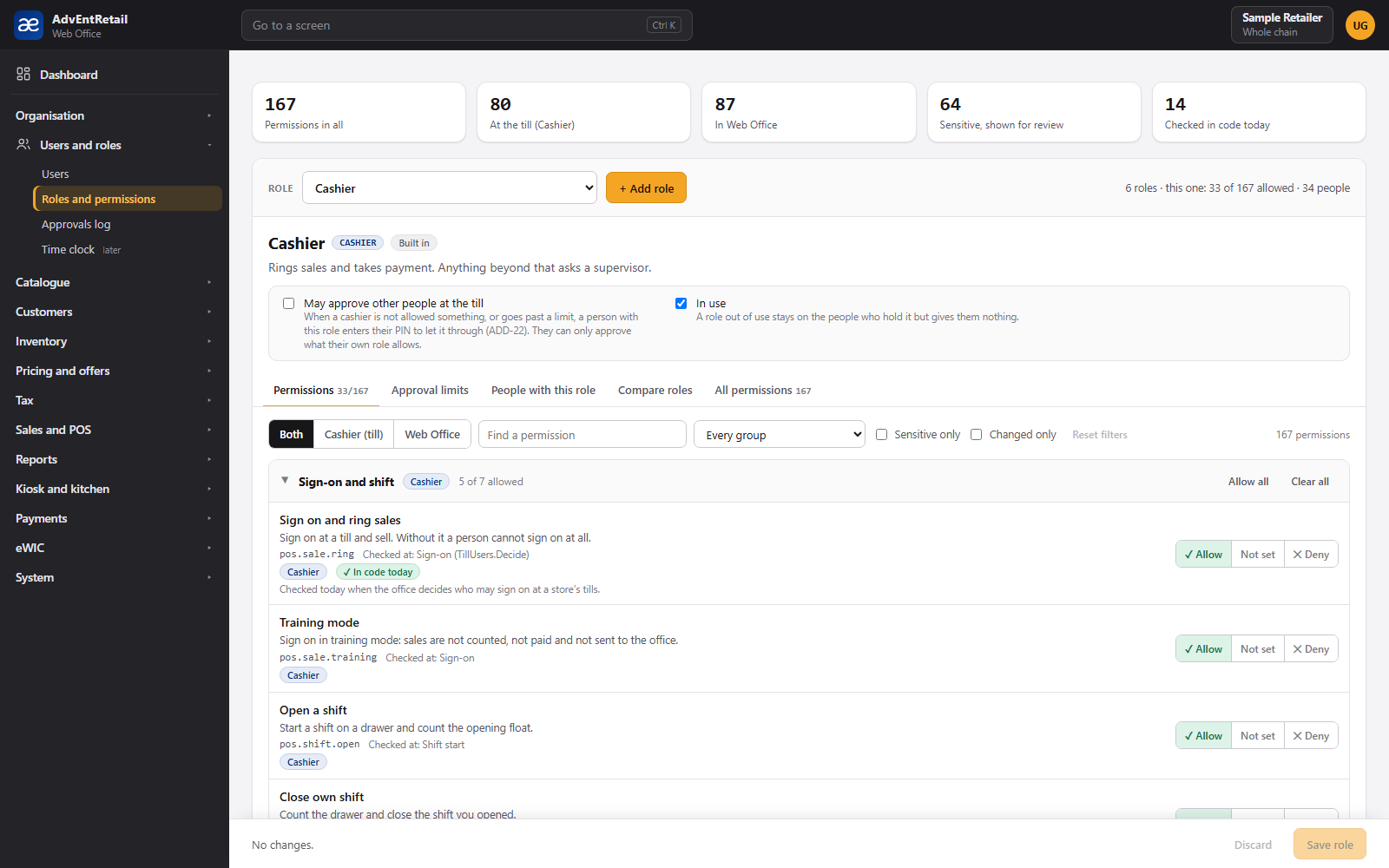
Live screen Web Office — roles and permissions
Permissions that hold
Roles match the jobs people actually do — cashier, supervisor, manager, store admin — and
permissions are granular beneath them. The Users and Roles screens refuse to grant more than
the person editing them holds, so an account cannot quietly promote itself.
Business rules without a developer
Tax treatments, pricing behaviour and conditional rules are configured centrally. Macro-based
business rules let an administrator encode a pricing exception or an audit trigger without
anybody writing code.
Modules 04–06 · The designers
If you can drag it, you can design it
Three WYSIWYG designers cover every surface a customer or a cashier looks at. None of them needs
a developer, and all three draw with the real components and your real data, so the preview is
the product.
Sale screen & dashboard
Lay out the cashier's home screen: item keys, group shortcuts, function keys, the basket
grid and the totals block. Eleven ready-made templates ship with the product. Build a
separate layout for the express lane, the service desk and the deli, and a separate
dashboard for the owner, the store manager and the cashier.
11 templatesPer lane1024×768 preview
Customer display
The screen facing the shopper. Show the basket building line by line, the running total and
the tender breakdown, then fill the idle moments with your own promotions, images and video.
Dual-pricing and cash-discounting rules have their own controls, so what the customer sees
meets the regulation.
Live basketSlideshowsCompliance
Shelf & barcode labels
Design shelf-edge tags, barcode labels, price labels and promotional signs on a drag-and-drop
canvas. Fields pull live from the item master, so a reprice reprints correctly with no
re-keying. Twenty-one label stocks are recorded out of the box, and the lane can print them
itself.
21 stocksLive fieldsPrints at the lane
The designer always matches the till.
A change to what the sale screen shows changes the designer in the same release, so the layout you
build is never drawn against a different version of the product.
Twenty-one sale-screen templates and five customer display layouts ship with the product.
Every one of them was drawn in the designer.
Module 07 · Self-service
Ordering Kiosk
A touch ordering station that lets customers browse, build and pay at their own pace.
It takes the pressure off the counter at the lunchtime rush and reliably lifts the
average order, because a screen is patient enough to offer the extras a queue is not.
Fully customisable touch menu, designed centrally
Food modifiers, choices, combos and guided selection
Integrated payment taken at the kiosk itself
Orders land in the same sale ledger as the lane's
Contextual upsells and add-ons at the right moment
Screen Kiosk ordering, deli menu
Module 08 · The kitchen
Kitchen Display System
Orders rung at the counter, taken at the kiosk or received from a delivery platform appear
on the kitchen screen the moment they are committed. No printer jams, no lost tickets, and
a timer on every order so nothing sits.
Live tickets from the lane, the kiosk and delivery orders
Modifiers and special instructions shown on the item, not buried
Preparation timings and a bump bar for each station
Counter, takeaway and parcel orders tracked separately
In use The kitchen screen during a lunch rush
Module 09 · On the floor
Stock work away from the desk
The jobs that should never have needed a trip to the back office. Stand in the aisle,
scan the shelf, fix the price, print the label and move on — from any browser, including
the phone in your pocket.
Check and update price and quantity at the stock location
Print a shelf label from the lane without going to the office
Raise purchase orders, receive deliveries and enter supplier invoices
Run and reconcile a physical count without paper
Raise stock transfers and adjustments between locations
Dedicated native apps are on the roadmap. Today this work is done in the
browser, which runs on any phone or tablet you already own and needs nothing installed.
Screen Price and stock check on a phone
Module 10 · The estate
Multi-store and multi-location
Two different problems that get confused with each other. One is about shops; the other is
about where stock physically sits. AdvEntRetail handles both, separately.
Multi-store POS Manager
The headquarters layer for chains, franchises and growing groups. Store-by-store visibility
and comparative performance, with configuration defined centrally and applied consistently.
Local shops keep running the way local shops need to; head office gets the oversight.
Multi-location Stock Manager
One consolidated view of inventory across warehouses, stockrooms and retail sites. Each
location is configured for how it actually works while sharing the item master and stock
policies, so cross-location reporting is reliable rather than approximate.
Also in the box
Specialist modules
The parts that only some retailers need, and that those retailers cannot trade without.
Shipping
eWIC
Prescription matching at basket level, so a WIC shopper's approved goods are identified, priced and settled correctly against the benefit — with APL list management and a freshness rule behind it.
Shipping
Scan Data
Tobacco scan data captured at the lane and filed in the AGDC format manufacturers require. Manufacturers, programmes, cycles, allowances, item mapping and submission tracking all in one console.
Shipping
Loyalty console
Far more than points: programmes and campaigns, customer segments, consent capture, digital wallet passes, a customer self-service portal, reward catalogue, coupon templates, automated messages, redemptions, approvals and a full audit log.
Shipping
Inventory console
Purchase orders, purchase invoices, goods receipt, stock transfers between locations and adjustments, each as its own document with its own approval trail.
Shipping
Catalogue clean-up
For a migration off an old system: reads size, pack, container and category out of messy item names, validates UPCs and matches your catalogue against an industry master file before it ever reaches a till.
Shipping
The Updater
Installs a new lane end to end and keeps it current afterwards, from the tray, between sales. One installer per store, not per module.
In development
These are planned modules with their database schema and lane-side support already in place, but
without their own console yet. We would rather list them honestly than have you find out on the
demo call.
In development
Lottery administration
Lottery lines sell and report at the lane today. Stock, activation and settlement screens are still being built.
In development
QuickBooks link
Posting sales, tax and purchases to your books on a schedule.
In development
Zone administration
Price zones work today and are managed in Web Office; the dedicated console is to come.
In development
Standalone reporting app
The report library runs in Web Office today. A separate app for managers is planned.
Which modules does your shop actually need?
Tell us what you sell. We will put together the shortest list that does the job.